Convert decimal seconds time in Excel h:mm:ss format
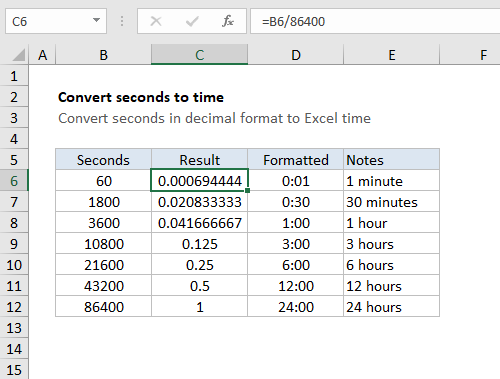
Convert decimal seconds time in Excel h:mm:ss format Generic formula =seconds/86400 Explanation To convert seconds in decimal format to a proper Excel time, divide by 86400. In the example shown, the formula in C6 is: =B6/86400 To display the result as time, apply a time format. Column D shows the same result formatted with [h]:mm. … Read more