Sorting program in c

c program to sort array

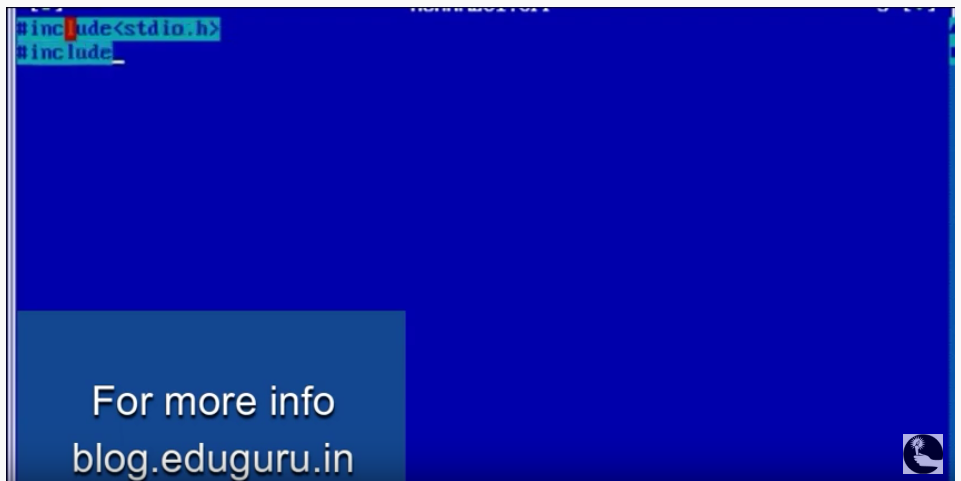
Sorting program in c /* * C program to accept N numbers and arrange them in an ascending order */ #include <stdio.h> void main() { int i, j, a, n, number[30]; printf(“Enter the value of N \n”); scanf(“%d”, &n); printf(“Enter the numbers \n”); for (i = 0; i < n; ++i) scanf(“%d”, &number[i]); for (i … Read more

Write a program to convert temperature Fahrenheit to Centigrade

temperature Fahrenheit to Centigrade degrees c program

Write a program to convert temperature Fahrenheit to Centigrade Input temperature in fahrenheit from user. Store it in some variable say fahrenheit. Apply the temperature conversion formula celsius = (fahrenheit – 32) * 5 / 9. Print the value of celsius. Example Input Temperature in fahrenheit = 205 Output Temperature in celsius = 96.11 C Temperature conversion formula … Read more

C program to reverse words in a string

c program reverse-words-in-string

C program to reverse words in a string This profram will invert each word occurring in the input string. Algorithm is very simple just scan the string and keep on storing characters until a space comes. If a space is found then we have found one word so we append null terminator and then reverse the … Read more

C program to draw circles in circles

C program to draw circles in circles

C program to draw circles in circles #include<graphics.h> #include<conio.h> #include<dos.h> main() { int gd = DETECT, gm, x, y, color, angle = 0; struct arccoordstype a, b; initgraph(&gd, &gm, “C:\\TC\\BGI”); delay(2000); while(angle<=360) { setcolor(BLACK); arc(getmaxx()/2,getmaxy()/2,angle,angle+2,100); setcolor(RED); getarccoords(&a); circle(a.xstart,a.ystart,25); setcolor(BLACK); arc(getmaxx()/2,getmaxy()/2,angle,angle+2,150); getarccoords(&a); setcolor(GREEN); circle(a.xstart,a.ystart,25); angle = angle+5; delay(50); } getch(); closegraph(); return 0; }  

traffic light program in c

traffic program in c

Traffic light program in c #include<graphics.h> #include<conio.h> #include<dos.h> #include<stdlib.h> main() { int gd = DETECT, gm, midx, midy; initgraph(&gd, &gm, “C:\\TC\\BGI”); midx = getmaxx()/2; midy = getmaxy()/2; setcolor(RED); settextstyle(SCRIPT_FONT, HORIZ_DIR, 3); settextjustify(CENTER_TEXT, CENTER_TEXT); outtextxy(midx, midy-10, “Traffic Light Simulation”); outtextxy(midx, midy+10, “Press any key to start”); getch(); cleardevice(); setcolor(WHITE); settextstyle(DEFAULT_FONT, HORIZ_DIR, 1); rectangle(midx-30,midy-80,midx+30,midy+80); circle(midx, midy-50, 22); … Read more

C program to open a website url

c graphics program

C program to open a website url This program will launch Mozilla Firefox web browser to open a website so it should be installed on your computer, if you are using an another web browser then you can change path in the program.   #include <stdio.h> #include <conio.h> #include <stdlib.h> #include <graphics.h> #include <dos.h> #include … Read more

asterisk 1.4 installation with libpri and DAHDI

asterisk

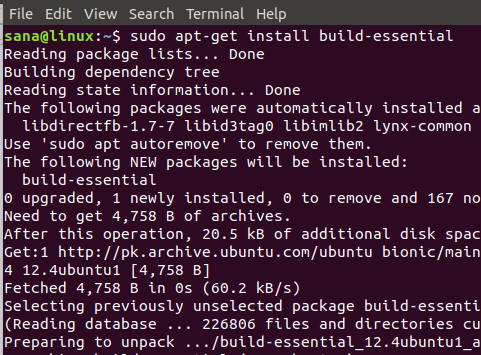
asterisk 1.4 installation with libpri and DAHDI Update the system before start installation and reboot the system. yum -y update   Install MySQL yum -y install mysql-server /etc/init.d/mysqld start chkconfig mysqld on Install Pre-Install Packages yum -y install kernel-devel make bison flex gcc-c++ gcc httpd php php-cli php-mysql php-pear php-gd curl sox ncurses-devel openssl-devel mysql-devel … Read more

C program to draw a 3D bar chart

3d bar chart program in c

C program to draw a 3D bar chart #include <graphics.h> #include <conio.h> int main() { int gd = DETECT, gm; initgraph(&gd, &gm, “C:\\TC\\BGI”); setcolor(YELLOW); rectangle(0,30,639,450); settextstyle(SANS_SERIF_FONT,HORIZ_DIR,2); setcolor(WHITE); outtextxy(275,0,”Bar Chart”); setlinestyle(SOLID_LINE,0,2); line(100,420,100,60); line(100,420,600,420); line(90,70,100,60); line(110,70,100,60); line(590,410,600,420); line(590,430,600,420); outtextxy(95,35,”Y”); outtextxy(610,405,”X”); outtextxy(85,415,”O”); setfillstyle(LINE_FILL,BLUE); bar(150,100,200,419); setfillstyle(XHATCH_FILL,RED); bar(225,150,275,419); setfillstyle(WIDE_DOT_FILL,GREEN); bar(300,200,350,419); setfillstyle(INTERLEAVE_FILL,MAGENTA); bar(375,125,425,419); setfillstyle(HATCH_FILL,BROWN); bar(450,175,500,419); getch(); return 0; }  

PWD – Linux command to check current working directory

PWD – Linux command to check current working directory   When you first open the terminal, you are in the home directory of your user. To know which directory you are in, you can use the “pwd” command. It gives us the absolute path, which means the path that starts from the root. The root is the … Read more