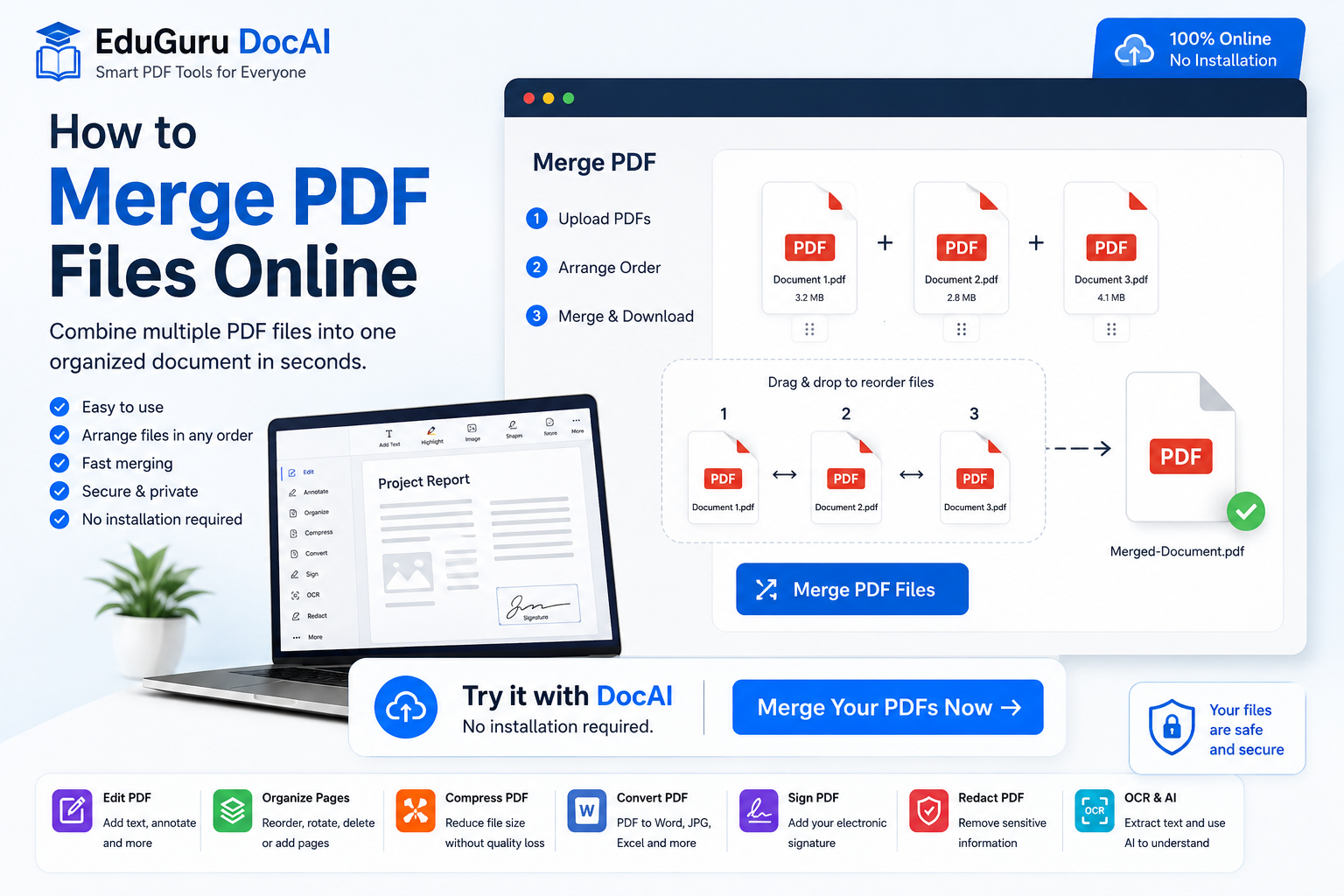
Managing several PDF files can quickly become inconvenient. You might have invoices in separate files, scanned pages from the same application, multiple chapters of a report, or documents that need to be submitted as one PDF.
Instead of sending or storing each file separately, you can merge PDF files online and create one organized document.
With EduGuru DocAI PDF Tools, you can combine multiple PDF files directly from your browser without installing additional software.
Try it with DocAI — no installation required.
What Does Merging PDF Files Mean?
Merging PDFs means combining two or more separate PDF documents into a single PDF file.
For example, suppose you have:
Cover-Letter.pdfResume.pdfCertificates.pdf
After merging them, you can create:
Complete-Application.pdf
The original pages can be placed in the order you choose, giving you one document that’s easier to upload, email, archive, or share.
How to Merge PDF Files Online
You don’t need complicated desktop software to combine PDFs. Here’s how to do it using DocAI.
Step 1: Open DocAI PDF Tools
Open the EduGuru DocAI online PDF tool in your browser.
You can access the PDF tools without installing desktop software.
Step 2: Select Merge PDF
Choose the Merge PDF option.
This opens the tool for combining multiple PDF documents.
Step 3: Upload Your PDF Files
Select the PDF files you want to combine.
For example:
Invoice-1.pdfInvoice-2.pdfInvoice-3.pdf
Upload all the files that should be included in your final document.
Step 4: Arrange Your PDFs
Check the order of your documents before merging them.
For example:
- Cover Page
- Application
- Supporting Documents
- Certificates
Correct ordering is especially important for applications, reports, contracts and business documents.
Step 5: Merge the PDFs
Once everything is arranged correctly, select the option to Merge PDF.
DocAI will process the selected documents and create a combined PDF.
Step 6: Download the Merged PDF
Review the resulting document and download it to your device.
You now have a single PDF containing the pages from your selected files.
Ready to Combine Your PDFs?
Merge multiple PDF documents into one organized file directly from your browser.
Try it with DocAI — no installation required.
Why Merge PDF Files?
There are many situations where combining PDFs makes document management easier.
Job Applications
You may have separate files containing your:
- Resume
- Cover letter
- Certificates
- Experience letters
- Identification documents
Instead of uploading several documents, you can combine the required files into one PDF when appropriate.
Business Reports
Businesses frequently generate separate reports from different departments.
Merging them can create one consolidated document for management, customers, or stakeholders.
Invoices
Multiple invoices can be combined into one document for a particular customer, month, project, or accounting period.
Academic Documents
Students may need to combine:
- Assignments
- Research material
- Certificates
- Mark sheets
- Application documents
into a single PDF.
Contracts
Contracts sometimes consist of the main agreement plus schedules, annexures, supporting documentation, and signature pages.
Combining the relevant files makes the final document easier to manage.
Scanned Documents
When pages are scanned separately, they may be saved as multiple PDFs.
A PDF merger allows you to put those pages back together into a single document.
Benefits of Merging PDFs Online
No Software Installation
A browser-based PDF merger eliminates the need to install a desktop application just to combine documents.
Works Across Devices
Online PDF tools can be accessed from compatible browsers on different operating systems and devices.
Easier Document Sharing
Sending one organized PDF is often easier than attaching several individual files.
Better Document Organization
Related documents can be stored together rather than scattered across multiple files.
Faster Workflow
For simple document tasks, an online tool can reduce the number of steps required to create the final PDF.
Can I Change the Order Before Merging PDFs?
Yes.
Page and file order is an important part of merging PDF documents.
Suppose you have:
Page-3.pdfPage-1.pdfPage-2.pdf
You should arrange them as:
Page-1.pdf → Page-2.pdf → Page-3.pdf
before generating the final document.
DocAI also includes PDF organization capabilities that can help you work with pages after uploading your documents.
Can I Merge Scanned PDF Documents?
Yes. Scanned documents can also be combined into one PDF.
However, scanned PDFs often contain images rather than machine-readable text.
If you need to search, copy, analyze, or extract text from scanned pages, you may also need OCR.
OCR stands for Optical Character Recognition. It identifies text contained inside scanned images and converts it into machine-readable information.
With DocAI, OCR can become part of a broader document-processing workflow.
Merge PDF and Then Compress It
Combining several documents can increase the size of the final PDF.
For example:
PDF 1: 3 MB
PDF 2: 5 MB
PDF 3: 4 MB
The merged document may become too large for some email or upload limits.
In that situation, you can:
Merge PDF → Review → Compress PDF → Download
This is particularly useful when submitting documents through websites that impose file-size restrictions.
Merge PDF and Then Edit It
Sometimes merging is only the first step.
After combining your PDFs, you may want to:
- Add text
- Add a watermark
- Insert page numbers
- Rotate pages
- Delete unnecessary pages
- Reorder pages
- Annotate the document
- Add a signature
Instead of using separate applications for each operation, DocAI is designed to bring common PDF workflows together.
Merge. Edit. Download.
Combine your documents and continue working with your PDF from the same online toolset.
No installation required.
What About Sensitive Information?
Before sharing a merged PDF, check whether any of the included documents contain information that shouldn’t be shared.
Examples can include:
- Phone numbers
- Email addresses
- Home addresses
- Dates of birth
- Passport information
- Bank account details
- Credit or debit card numbers
- Government identification numbers
In India, documents may also contain identifiers such as Aadhaar or PAN numbers.
This becomes particularly important when several documents are merged because sensitive information from every source document becomes part of the resulting PDF.
Redact Sensitive Information Before Sharing
If information shouldn’t appear in the final document, consider properly redacting it before sharing.
Simply placing a black rectangle over text may not necessarily remove the underlying information.
A proper redaction process should permanently remove the sensitive content from the resulting document.
DocAI’s document tools include redaction capabilities designed to help protect sensitive information.
Sharing Your Merged PDF?
Review it for sensitive information before sending it.
More Than a PDF Merger
Merging PDFs is only one part of document management.
With EduGuru DocAI PDF Tools, you can work with documents using capabilities such as:
Edit PDF
Add or modify supported content and annotations.
Split PDF
Separate a large document into smaller PDFs.
Compress PDF
Reduce PDF file size for easier sharing.
Organize PDF
Rotate, reorder, or delete pages.
OCR PDF
Recognize text in scanned documents.
Sign PDF
Add signatures to PDF documents.
Redact PDF
Remove sensitive information before sharing.
AI Document Tools
Use AI capabilities to help understand, summarize, extract, or work with document content where available.
Is It Safe to Merge PDFs Online?
Security should always be considered when uploading documents to any online service.
Before uploading confidential documents, check the provider’s:
- Privacy policy
- Encryption practices
- File-retention period
- File-deletion process
- Access controls
- AI data-use policy
Documents containing financial, legal, healthcare, identity, or other highly sensitive information may require additional security considerations.
Online PDF Merger vs Desktop Software
An online PDF merger can be ideal when you:
- Need to combine files quickly
- Don’t want to install software
- Occasionally work with PDFs
- Need access from different computers
- Want a straightforward browser-based workflow
Desktop software may still be preferable for highly complex workflows, offline processing, or environments with specific security requirements.
Frequently Asked Questions
How can I merge PDF files online?
Upload the PDF documents to a PDF merging tool, arrange them in the required order, process the files, review the result, and download the combined PDF.
Can I combine multiple PDFs into one document?
Yes. Multiple PDF files can be combined into a single document using a PDF merger.
Can I change the order of PDFs before merging?
Yes. Arrange the files in the desired sequence before generating your final PDF.
Can I merge scanned PDFs?
Yes. Scanned PDFs can be combined like other PDF documents. OCR may be required if you also want to recognize or extract text from the scanned pages.
Can I merge PDFs without installing software?
Yes. An online PDF merger works through a web browser, so a desktop application isn’t required.
Can I edit a PDF after merging it?
Yes. After combining documents, you can use appropriate PDF editing tools to perform additional operations such as adding text, organizing pages, signing, or redacting information.
Can I compress a PDF after merging?
Yes. If the merged PDF becomes too large, a PDF compression tool can be used to reduce its file size.
Should I check a merged PDF before sharing it?
Yes. Review the final PDF for incorrect pages, page order, confidential content, personal information, and other information you don’t intend to share.
Merge Your PDF Files With DocAI
Don’t waste time managing multiple PDF documents separately.
Combine your PDFs into one organized document and continue editing, compressing, signing, OCR processing, or protecting the resulting file with DocAI.
Try it with DocAI — no installation required.
DocAI — Edit. Understand. Protect. Automate.