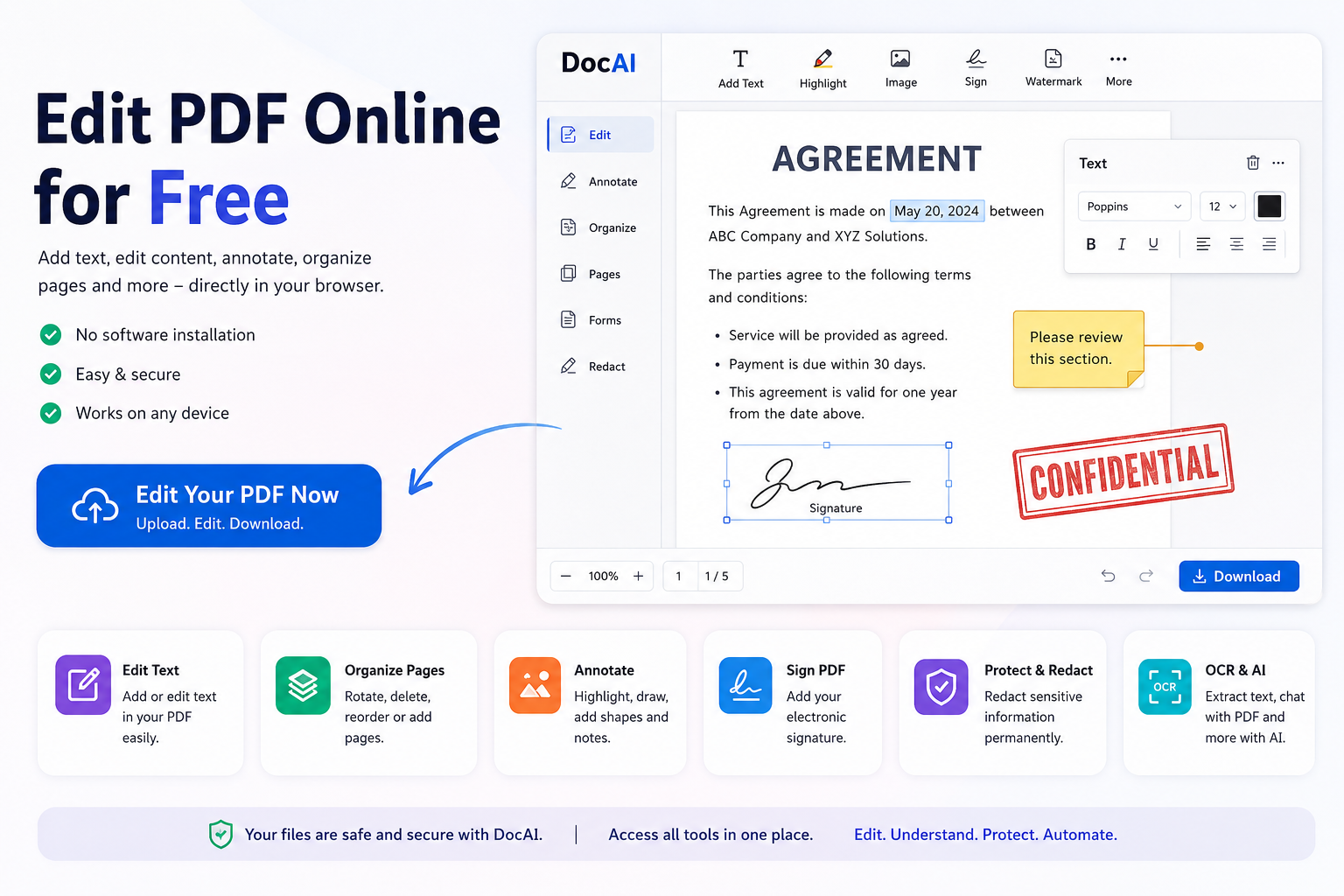
PDF files are widely used for invoices, contracts, application forms, reports, certificates, business documents, and many other purposes. But what happens when you receive a PDF and need to quickly correct some text, add information, insert a signature, highlight something, or remove an unwanted page?
You don’t necessarily need to install expensive PDF software.
With an online PDF editor, you can upload your document, make the required changes directly in your browser, and download the edited PDF.
In this guide, we’ll explain how to edit a PDF online for free and how DocAI can help you work with PDF documents quickly and securely.
What Is an Online PDF Editor?
An online PDF editor is a browser-based tool that allows you to modify PDF documents without installing desktop software.
Depending on the editor, you may be able to:
- Add text to a PDF
- Highlight or annotate content
- Add images
- Insert signatures
- Add watermarks
- Add page numbers
- Rotate pages
- Rearrange pages
- Delete unwanted pages
- Merge multiple PDFs
- Split PDF documents
- Compress large PDF files
- Extract text using OCR
- Redact sensitive information
This makes online PDF tools useful for students, professionals, freelancers, businesses, and anyone who occasionally needs to make changes to a document.
How to Edit a PDF Online for Free
Editing a PDF with DocAI is designed to be straightforward.
Step 1: Open the PDF Editor
Open DocAI PDF Editor in your web browser.
There is no need to download or install traditional PDF editing software.
Step 2: Upload Your PDF
Click Select PDF and choose the document you want to edit.
You can then open the PDF inside the online workspace.
Before uploading confidential or sensitive documents to any online PDF service, you should always review the service’s privacy and file-retention practices.
Step 3: Edit Your Document
Once the document is loaded, choose the tool required for your task.
For example, you may want to:
Add Text
Insert additional text into your PDF where required.
This can be useful when completing forms, adding comments, or inserting missing information.
Add a Watermark
Add text such as:
CONFIDENTIAL
DRAFT
INTERNAL USE ONLY
Watermarks can be useful for business and internal documents.
Add Page Numbers
Automatically number pages in longer PDF documents.
Rotate Pages
Correct pages that were scanned or saved in the wrong orientation.
Rearrange Pages
Move pages into the correct order without recreating the entire PDF.
Delete Pages
Remove unnecessary or unwanted pages from your document.
Step 4: Review the PDF
Before creating the final document, review each page carefully.
Check:
- Text changes
- Page order
- Page orientation
- Signatures
- Watermarks
- Formatting
- Removed pages
This is particularly important when editing contracts, applications, financial documents, or other important files.
Step 5: Download Your Edited PDF
Once you’re satisfied with the changes, process the document and download the final PDF.
Your original document remains separate, so it’s generally a good idea to retain the original copy in case you need it later.
What Else Can You Do With DocAI?
PDF editing is only one part of working with documents.
DocAI is being developed as an AI-powered document platform that brings common PDF tools and intelligent document processing together.
Depending on the available feature, you can use DocAI for tasks such as:
Merge PDF Files
Combine multiple PDF documents into a single file.
This is useful when combining invoices, reports, certificates, scanned pages, or application documents.
Split PDF Files
Separate a large PDF into smaller documents or extract only the pages you need.
Compress PDF
Reduce the size of large PDF documents to make them easier to email, upload, or share.
Convert PDF
Convert PDFs into other useful formats and create PDFs from supported file types.
OCR Scanned PDFs
OCR, or Optical Character Recognition, can recognize text contained inside scanned pages and images.
This can make scanned documents searchable and allow their text to be extracted for further processing.
Sign PDF Documents
Add signatures to documents without printing, signing, and scanning them again.
Protect Sensitive Information With PDF Redaction
One important feature when working with documents is redaction.
PDFs frequently contain sensitive information such as:
- Names
- Email addresses
- Phone numbers
- Addresses
- Dates of birth
- Passport numbers
- Bank account information
- Credit or debit card numbers
- Government identification numbers
Simply drawing a black rectangle over sensitive text may not always permanently remove the underlying information.
Proper PDF redaction should remove the sensitive content from the resulting document rather than merely hiding it visually.
DocAI’s Smart Redact capabilities are designed around identifying and protecting sensitive information in documents.
Country-Specific Document Redaction
Personal identifiers vary between countries.
For example, documents from India may contain:
- Aadhaar numbers
- PAN numbers
- GSTIN
- IFSC codes
- Passport numbers
- Mobile numbers
Documents from other countries can contain different identifiers, including Social Security numbers, tax identifiers, banking information, and passport numbers.
This is why intelligent document redaction can be especially valuable for organizations processing documents from multiple countries.
Can AI Help You Work With PDFs?
Modern PDF tools are moving beyond basic editing and conversion.
AI can help users understand the information contained inside documents.
For example, an AI document assistant can potentially help you:
- Summarize a long PDF
- Ask questions about a document
- Find important information
- Extract structured information
- Translate document content
- Compare documents
- Identify sensitive information
- Analyze contracts and reports
Instead of manually reading a long document page by page, AI-assisted document processing can significantly reduce the amount of repetitive work required.
Online PDF Editor vs Desktop PDF Software
Traditional desktop PDF software can be powerful, particularly for users who work with documents throughout the day.
However, installing a full desktop application isn’t always necessary for a quick task.
An online PDF editor can be useful when you need to:
- Make a quick document change
- Work from a different computer
- Avoid installing software
- Convert a document
- Compress a PDF
- Sign a PDF
- Perform OCR
- Redact sensitive information
The right choice depends on the complexity and sensitivity of your document workflow.
Who Can Use an Online PDF Editor?
Online PDF editing can be useful across many industries and professions.
Students
Combine assignments, convert notes, organize research documents, and manage scanned study material.
Businesses
Edit proposals, invoices, reports, quotations, and internal documents.
HR Teams
Manage application forms, employee documents, offer letters, and other HR paperwork.
Financial Services
Process financial documents while identifying information that may require protection before sharing.
Legal Professionals
Organize documents, add annotations, compare files, and redact confidential information.
Healthcare Organizations
Work with document-based administrative workflows where sensitive information may need additional protection.
Freelancers
Edit contracts, invoices, proposals, and client documents without purchasing complex software for occasional PDF tasks.
Is It Safe to Edit PDFs Online?
Security should be an important consideration when selecting any online PDF editor.
Before uploading sensitive files, consider questions such as:
- Is the connection encrypted?
- How long are uploaded documents retained?
- Can users delete their documents?
- Are uploaded documents used for AI training?
- Who can access uploaded documents?
- Does the provider explain its privacy practices clearly?
For highly confidential documents, businesses may also require private-cloud, regional-processing, or on-premise options depending on their security and compliance requirements.
Never assume an online PDF service is appropriate for sensitive information simply because it is convenient.
Benefits of Using an Online PDF Editor
An online PDF editor can offer several practical benefits:
No installation
Access PDF tools directly through a browser.
Quick access
Perform common document tasks without opening large desktop applications.
Multiple PDF tools
Editing, merging, splitting, compression, conversion, signing, and OCR can be available from one platform.
Works across devices
Browser-based tools can be accessed from different operating systems and devices.
AI-powered workflows
Modern document platforms can combine traditional PDF operations with AI-based understanding and automation.
Edit, Understand and Protect Your Documents With DocAI
PDF editing is increasingly becoming part of a larger document workflow.
You may start by correcting a PDF, but then need to compress it, convert it, extract text, sign it, understand its contents, or remove sensitive information before sharing it.
DocAI brings these workflows together with a simple goal:
Edit. Understand. Protect. Automate.
Whether you’re working with a single PDF or building a larger document-processing workflow, DocAI provides tools designed to make working with documents simpler.
Try DocAI PDF Editor
Need to make changes to a PDF?
Upload your PDF, make the required changes, review your document, and create your edited PDF online.
Try DocAI PDF Editor →
Frequently Asked Questions
Can I edit a PDF online for free?
Yes. Online PDF editors can provide free tools for common tasks such as adding text, organizing pages, rotating pages, merging documents, and other basic operations. Advanced features may require paid access depending on the service.
Do I need to install software to edit a PDF online?
No. Browser-based PDF editors allow you to work with documents without installing traditional desktop PDF software.
Can I add text to an existing PDF?
Yes. A PDF editing tool can allow you to place additional text onto an existing document.
Can I remove pages from a PDF?
Yes. PDF page-management tools can be used to delete unwanted pages and create a new PDF containing only the required pages.
Can I rearrange PDF pages?
Yes. Pages can be reordered to correct the sequence of a document.
Can I edit scanned PDFs?
Scanned PDFs generally require OCR before their text can be recognized. OCR converts text contained in scanned images into machine-readable information.
Can AI summarize a PDF?
AI document tools can analyze extracted PDF text and generate summaries, answer questions, and identify important information, subject to the capabilities and limits of the particular service.
How can I permanently remove sensitive information from a PDF?
Use a proper redaction tool rather than simply placing a shape over sensitive text. Redaction should permanently remove the underlying information from the resulting document.
Can DocAI detect Aadhaar or PAN numbers?
DocAI’s Smart Redact direction includes support for identifying sensitive and country-specific personal information, including Indian identifiers such as Aadhaar and PAN. Availability should be checked in the current version of the tool.
CTA After Introduction
Need to Edit a PDF Right Now?
Edit, annotate, organize and manage your PDF directly in your browser with DocAI PDF Tools.
[ Edit PDF Online Free → ]
No software installation required.
CTA After Step-by-Step Section
Ready to Edit Your PDF?
Upload your PDF to DocAI and start editing.
Add text, highlight content, draw, rotate pages, organize your document and more.
[ Upload & Edit PDF → ]
CTA After Smart Redact Section
Don’t Share Sensitive Information by Mistake
Use DocAI Smart Redact to detect sensitive information such as Aadhaar, PAN, SSN, IBAN, passport numbers, phone numbers, email addresses and more.
Upload → Detect → Review → Redact → Download
[ Try Smart Redact → ]
CTA After AI Section
Ask Your PDF Instead of Reading Every Page
Use DocAI to summarize documents, ask questions, translate content and analyze PDFs with AI.
[ Try DocAI → ]
Final CTA
Ready to Edit Your PDF?
Upload your document and start using DocAI PDF Tools directly from your browser.
Edit • Merge • Split • Compress • Convert • OCR • Sign • Redact • AI
[ Edit Your PDF Now → ]
Core PDF tools are free to use. Premium tools and downloads are available when you need them.
DocAI — Edit. Understand. Protect. Automate.