How to find/display your MAC Address: Unix/Linux

Linux As the root user (or user with appropriate permissions) Type “ifconfig -a” From the displayed information, find eth0 (this is the default first Ethernet adapter) Locate the number next to the HWaddr. This is your MAC address The MAC Address will be displayed in the form of 00:08:C7:1B:8C:02. Example “ifconfig -a” output: eth0 Link … Read more

Execute root commands via PHP

I have a CentOS 5.7 linux server and use php5.3.x. On a pfSense system, you can restart services-that required root permissions using a php web page. I’m trying to do something similar, I have written some php code to execute shell commands. For example, to restart the sshd service: <?php exec(‘/sbin/service sshd restart’); ?> and … Read more

Backup and Restore Mysql database table

Dump and restore from .sql Dump mysqldump db_name table_name > table_name.sql Restore mysql -u <user_name> -p db_name mysql> source <full_path>/table_name.sql or in one line mysql -u username -p db_name < /path/to/table_name.sql Dump and restore from a compressed (.sql.gz) format Dump mysqldump db_name table_name | gzip > table_name.sql.gz Restore gunzip < table_name.sql.gz | mysql -u username … Read more

No route to host (113)

In host machine iptables is running and is blocking the port 5901. Kill all the vncserver desktop in the host machine and run the following command in the terminal. Type the password for the user when prompted. sudo iptables -I INPUT 1 -p tcp –dport 5901 -j ACCEPT The above command will add the port 5901 … Read more

httpd: unrecognized service

I’ve installed the Apache web server on Kali Linux and I’m able to start/stop it with: /usr/usr/local/apache2/bin/apachectl restart[start/stop] But if I try to launch it with service command service httpd restart[start/stop] it says httpd: unrecognized service I would use the second way to launch Apache because it’s shorter and I can keep it in mind. … Read more

linux memoery space command

memory space

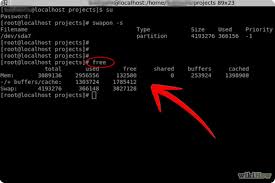
# df -h will show you where your free space (if any) is, on your mounted partitions. # du -sh /* will show you how much drive space each of your top-level directories are consuming, which might help identify files that don’t need to be on the root partition # fdisk -l (that’s a lower-case … Read more